 Daybook
A bullet journal that feels like paper
Daybook is a calm, dotted-paper notebook for the Bullet Journal method on iPhone and Mac: rapid logging, daily, monthly and future logs, and the migration ritual that keeps your list honest.
Download on the App Store iPhone and Mac
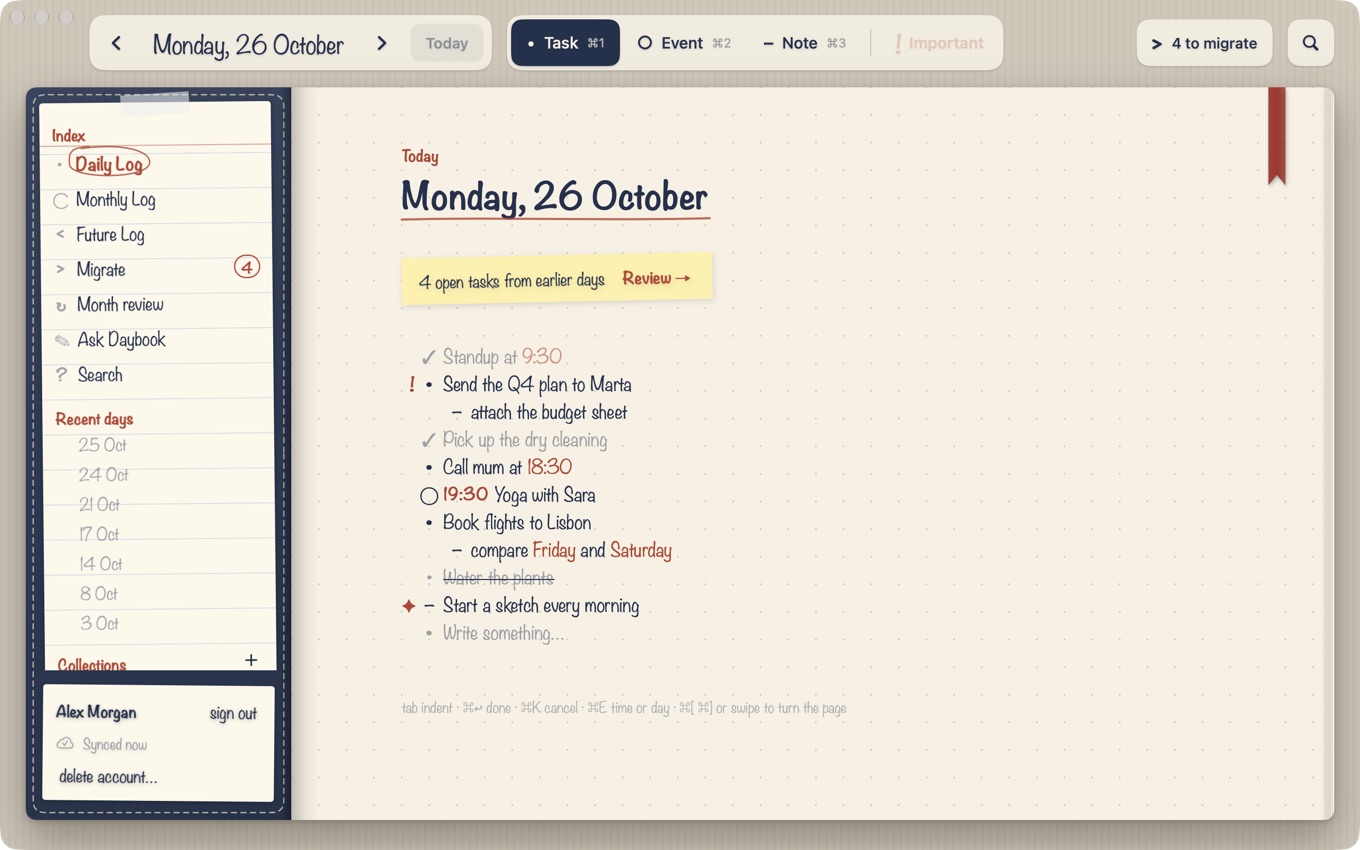
- •Tasks, events and notes, written as fast as on paper. Times you write are understood and remembered.
- >Migrate open tasks to today, this month, a collection or a future date, with the month review on the 1st.
- ○Monthly calendar, Future Log and Collections, all in one Index.
- !Reminders and check-ins for what's still open today.
- ✦Works offline with no account. Sign in with Apple or Google to back up and sync.
- ⌁On the Mac the notebook lies open on a desk, with page turns and keyboard shortcuts for everything. On iPhone Duo it opens the same way.
- ⌘Agents on your Mac, like Claude Code, Codex or Cursor, can read and write your journal over MCP (Settings ▸ Agents). It stays on your Mac, behind a key you hand out.
Reading, search and export are always free. Writing needs Daybook Plus: 14 days free, then yearly or monthly, one purchase for iPhone and Mac. No ads, no tracking.
How Daybook follows the method
The Bullet Journal method is simple: write short entries as you go, keep a log for the day, the month and the future, and review what is still open on a regular rhythm. Daybook keeps those pieces and drops the busywork. You write a line and pick its type (task, event or note) with a key. Open tasks from earlier days collect on a Migrate page, where you decide for each one: today, this month, a collection or a future date. The original stays on its day marked as migrated, like on paper, so the history is truthful.
Read the guides
- Bullet journal migration: how to do it, daily and monthly
- Digital bullet journal: how to start on iPhone and Mac
Questions
Is Daybook free? Reading, search and export are always free. Writing needs Daybook Plus, with a 14-day free trial.
Does it work without an account? Yes. It works offline and needs no account. Sign in with Apple or Google only if you want backup and sync.
Which devices? iPhone and Mac, from one App Store listing and one purchase.